
⚠️ Ao tentar inicializar um pendrive bootável criado com o AOMEI Backupper Standard [em um notebook DELL Inspiron 3584 com Secure Boot e UEFI habilitados], a seguinte mensagem de erro foi exibida:
![[FAIL] Could not locate 'EFI\boot\bootx64.efi': [14] Not Found](https://cod3x.net/wp-content/uploads/2023/05/could-not-locale-EFI-boot-bootx64-efi-Not-Found.jpg "[FAIL] Could not locate 'EFI\boot\bootx64.efi': [14] Not Found")
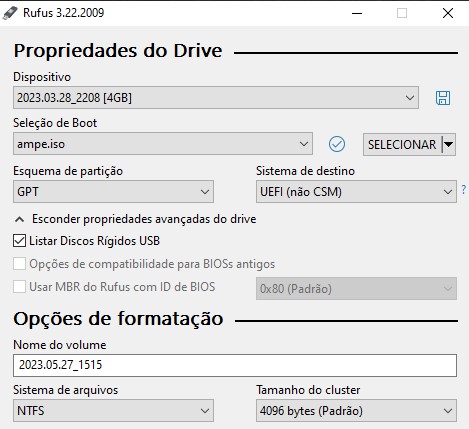
✅ Acesse o pendrive criado com o Rufus e procure pela pasta EFI\boot. O arquivo bootx64.efi deverá estar dentro dela. Copiei e colei para a pasta correspondente no outro pendrive criado com o AOMEI Backupper Standard.
![[FAIL] Could not locate 'EFI\boot\bootx64.efi': [14] Not Found](https://cod3x.net/wp-content/uploads/2023/05/bootx64-efi.jpg "[FAIL] Could not locate 'EFI\boot\bootx64.efi': [14] Not Found")
🔗 Caso queira, clique aqui para baixar o arquivo bootx64.efi.
*Atualizado em 27 de maio de 2023